
 If you followed TuneConsole, you know I’m a PIC guy. Unfortunately for me, Microchip hasn’t kept up with the times: their toolchain feels like late ’80s Borland tools, and that’s a very generous comparison. Turbo C was never this bug-ridden, and was far more modern to boot.
Microchip also isn’t very open-source friendly, as evidenced by their non-redistributable USB stack. The combination of these issues is a powerful motivator to check out their competition in the form of Atmel’s AVR series. Open-source friendly with a gcc-based toolchain?
Yeah, that’s pretty attractive to someone like me.
The Circuit
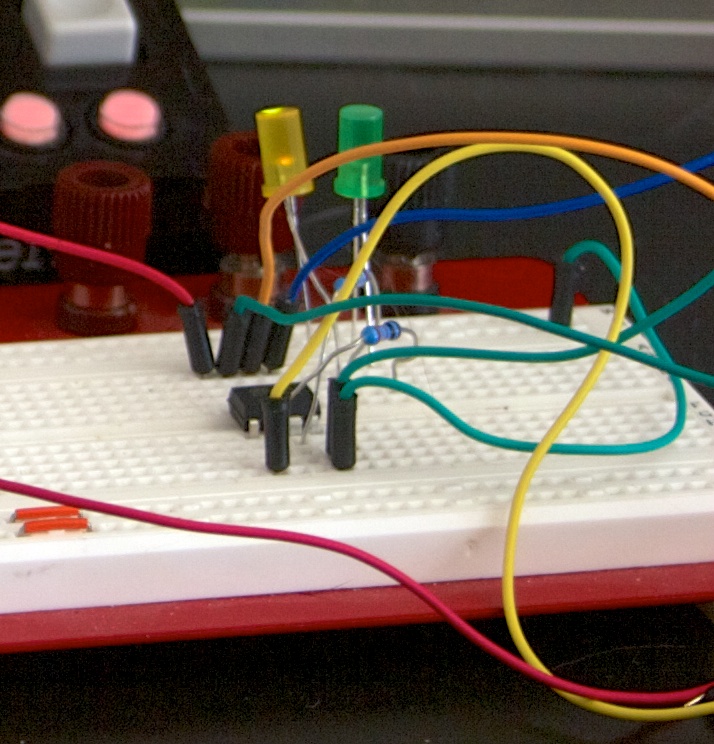
Since the initial goal was nothing more than to get a feel for working with AVR, I decided to go with a very simple project. Take two LEDs, add associated resistors, mix with an ATtiny13A from the parts bin, and voila! An easy little circuit that we can use for a programming experiment:
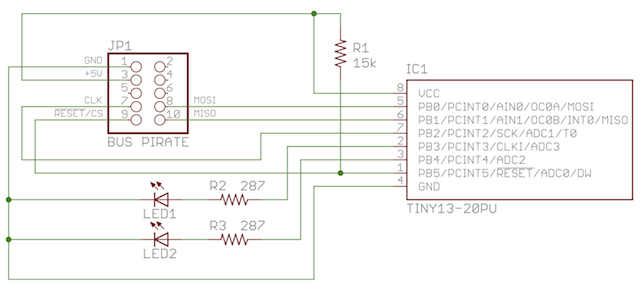
USEFUL TIP: Resistor R1 is a pull-up resistor for the reset line. It’s not strictly needed, though it’s sometimes useful in noisy environments. Be absolutely sure, however, that you consult the Atmel datasheet for your chosen MCU for the appropriate values; the chip won’t program properly if this resistor is too large or small.
The Programming Hardware
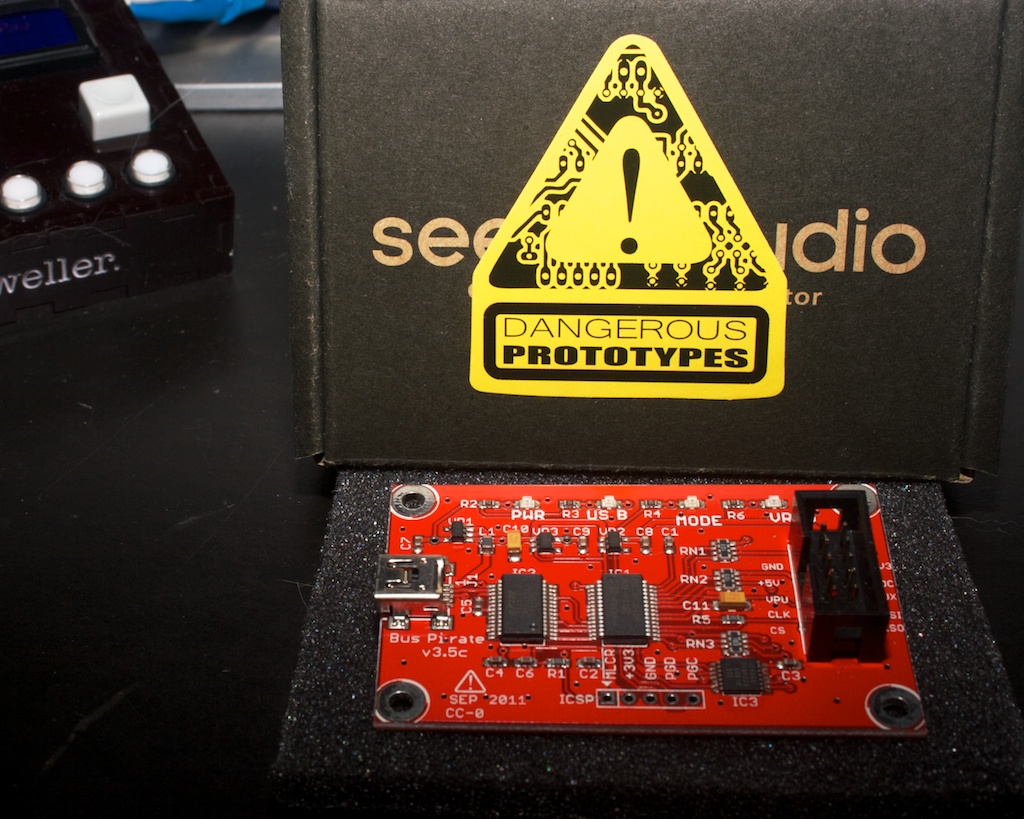 Since I’m not sure whether I’ll end up preferring AVR over PIC (nothing is ever perfect), I decided not to spring for a professional-grade programmer just yet. There are numerous low-cost options out there (including the Arduino), but the one that made sense for me was the Bus Pirate from Dangerous Prototypes. I wanted one anyway, and this gave me an excellent excuse!
The Bus Pirate is a very nice piece of hardware, but beware the probe kit that Seeed sells. It comes with grabbers on the ends of the wires, but the quality isn’t very good. If I decide to use my Bus Pirate for frequent AVR programming, I’ll have to either buy or build a nice adapter to make it less annoying.
You should also note that your computer may not recognize the unit out of the box. It’s based on the ubiquitous FTDI usb-to-serial converter, which needs drivers. You can get them at http://www.ftdichip.com/Drivers/VCP.htm; for those of you on Mountain Lion, their latest OS X drivers appear to work just fine.

2 Responses to AVR For PIC People, Part 1: The Basics