
The System
The easy answer would have been to simply write on the envelopes, drop the parts in, and be done with it – but I’m not quite that lazy! I wanted this to be presentable, and a little work produced a system that’s fairly easy to maintain. Instead of hand marking the envelopes, I ship them through an HP Photosmart inkjet printer.
The software? Apple’s iWork.
No, seriously!
While iWork isn’t the most professional solution out there, I find that it meets a whole lot of needs quite admirably (unlike the Works-type packages of the distant past). It’s great at page layout, has a decent mail merge system, and creating document templates is a piece of cake. What more can I ask for?
The Template
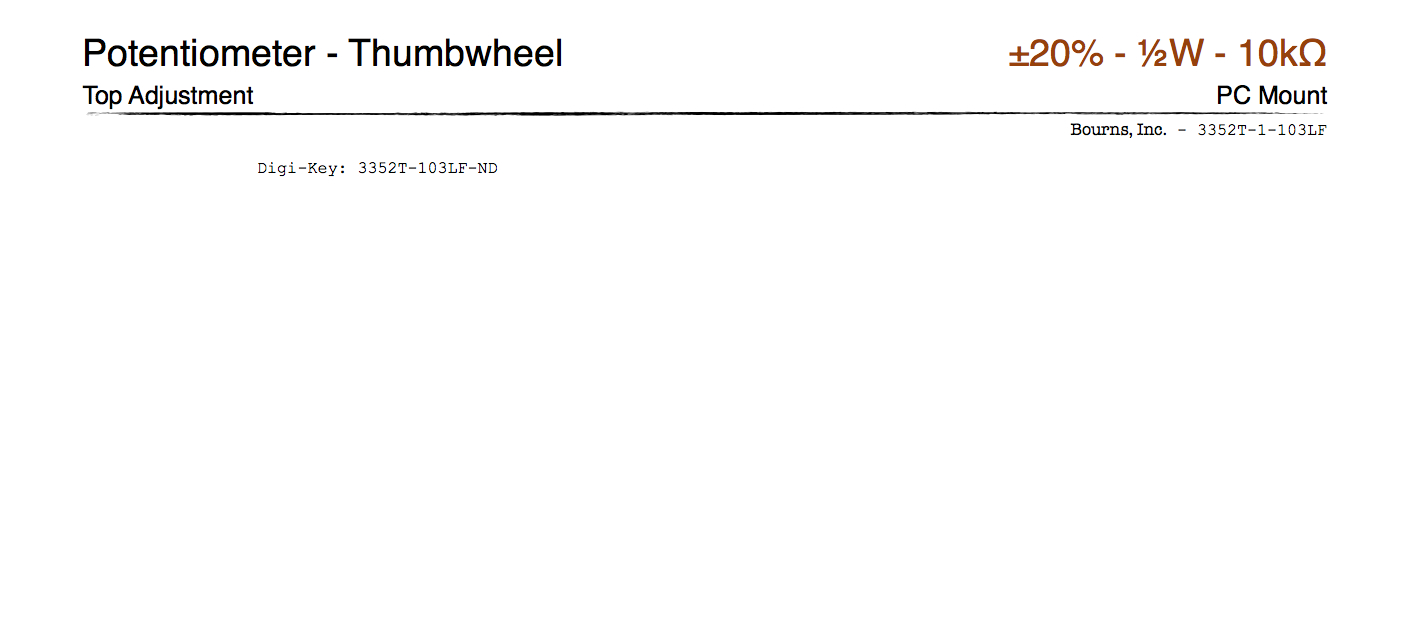
A part envelope. Note the use of values in the upper right for things like resistors and capacitors; makes ’em easy to find.
The first thing I created was a #10 envelope template that I can use to print these things. The envelope has a part category/subcategory combination in the upper-left corner, which I can use to sort them into the proper bins. Beneath that is a text description of any features the part might have (e.g., my envelope for the ATTiny13A reads “20Mhz, 8-bit, 1K Flash, 64b SRAM, 64b EEPROM, 4×10-bit ADC”). Still further down the left, you find a list of places where I’ve purchased the part with the associated catalog part numbers for easy re-ordering.
On the upper right, we have the “common” part number in bright, bold lettering. This is not the manufacturer’s part number, but rather than one you think of when you decide to use the part. A good example of this is the 7805 voltage regulator: they’re made by everyone and their brother and have a zillion different part numbers; it makes it much easier to find if you just stick “7805” at the top of the envelope.
Beneath that is packaging information (“8-DIP”, “TO-220-3”, etc.). This is needed when you have parts that have both SMT and through-hole footprints. I also tend to place physical dimensions there for parts that require it (mostly switches, LEDs, board spacers, etc…).
And finally, right underneath all that, is the actual manufacturer’s name and full part number, just in case you need to get it from someone you haven’t ordered from before.

Pingback: Parts storage for all your components - Hack a Day
Pingback: Belgaum news | About Belgaum | Belgaum information | Belgaum district | Belgaum city | Belgaum Hotels | Belgaum People | Belgaum tourism | Belgaum entertainment | Belgaum students | Inside facebook | Hack | make use of | technical news | | Parts storage f
Pingback: Indagadores |Seguridad informatica |Seguridad en internet » Piezas de almacenamiento para todos los dispositivos